
Generate Print-Ready 3D Models with AI
Turn a text prompt or a photo into a watertight 3D model, export STL or 3MF, and slice it. Miniatures, figurines, props, and prototypes, no modeling skills needed.
Updated July 2026

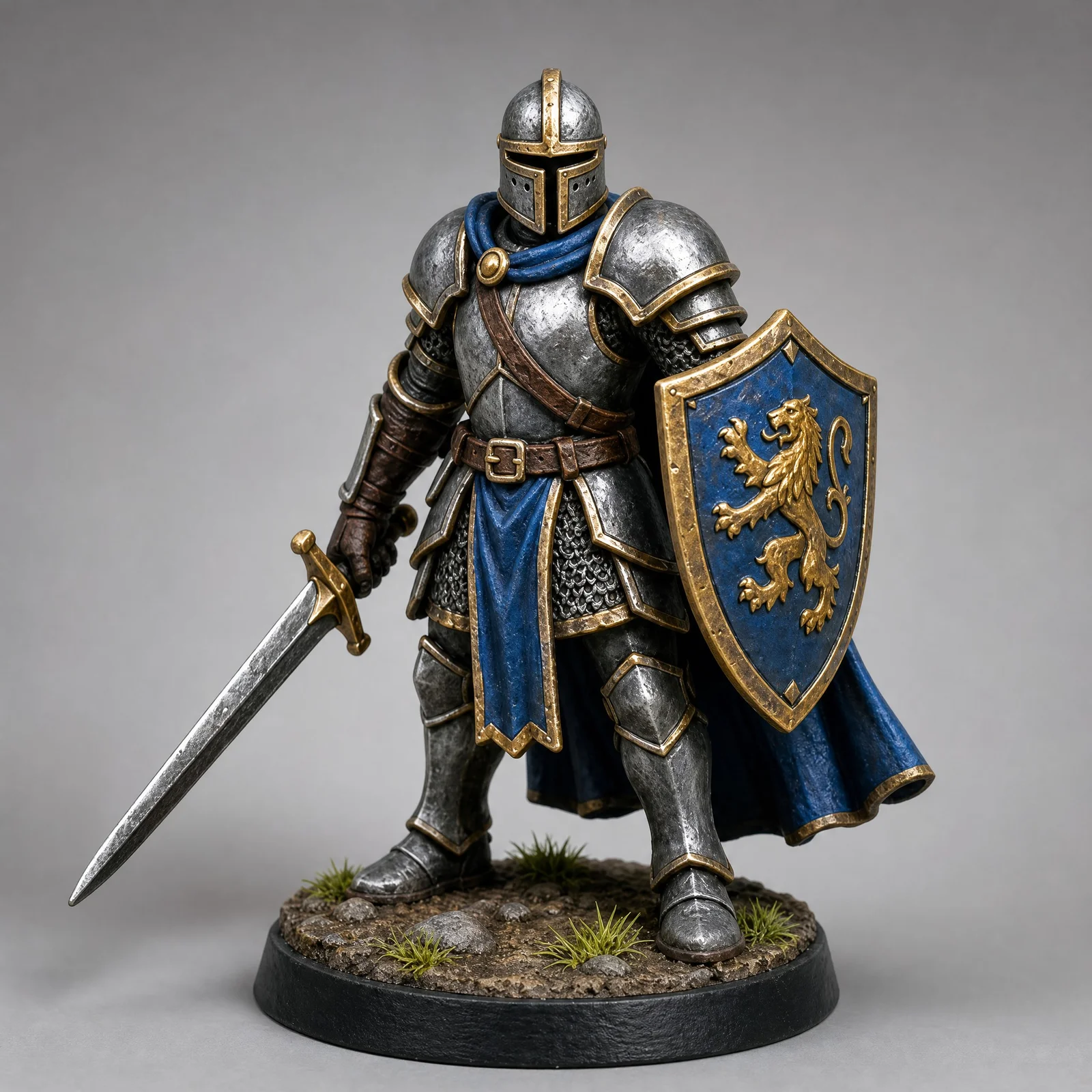
“armored knight miniature on a round display base, full plate armor”
Perfect for every 3D printing need
Miniatures & Figurines
D&D characters, chibis, collectibles
Prototypes & Parts
Functional prototypes, replacement parts
Decor & Gifts
Vases, sculptures, personalized gifts
Hobby & Crafts
Model making, educational models, cosplay
Trusted by creators at top game studios and tech companies

















Two ways to a printable model
Start from a sentence or start from a picture. Both run on the same engines and end in the same watertight export.
Same credits, same 15+ engines, same STL / 3MF / OBJ export. The input is the only difference.
From idea to sliceable file
Three steps in the browser, the fourth on your print bed
Describe or upload
Type a sentence or drop a photo. Both inputs run through the same engines.
Input
stylized character figurine on a round display base
Generate and preview
Pick an engine, generate, and inspect the mesh in the 3D viewer.
My generations
Export for 3D Printing
One click repairs the mesh and writes watertight 3MF or STL, colors baked in.
Export
Slice and print
Load it into Bambu Studio, PrusaSlicer, Lychee, or Cura, scale, and print.
Your slicer
~60sFastest Generation
Prism Turbo engine
15+AI Models
Hitem3D, Hunyuan, Meshy, Rodin…
STLPlus 3MF, OBJ & 5 more
Slicer-ready exports
100Free Credits / Month
No credit card
Everything between your idea and the print bed
Generation is the start; the print-prep tools around it are what make the file sliceable
Image to printable model
One photo, sketch, or render becomes a full 3D model. Add up to four angles with multi-view engines when the details matter.
Text to printable model
No reference? Describe the object in a sentence and generate it from the prompt. Same engines, same watertight exports.
Watertight mesh repair
Holes closed, internal geometry removed, manifold guaranteed. The single biggest reason AI models fail to slice, handled before export.
STL, 3MF & OBJ export
The formats every slicer reads, plus GLB, FBX, and more for the rest of your pipeline. No conversion detour through Blender.
Multi-color 3MF
Bake the AI texture into vertex colors and export 3MF. Bambu AMS and other multi-color systems pick the colors up automatically.
Polycount control
Quad remeshing and decimation bring 2-million-face meshes down to what your slicer handles comfortably, without visible detail loss.
Base & pedestal generator
Give miniatures and figurines a flat, stable base to print on. Round, square, or custom, added in one click.
Part segmentation
Split a model into printable parts, for prints bigger than your bed or poses that need separate supports per piece.
3D relief generator
Turn any photo into a printable 2.5D relief, the lithophane-style wall art and keepsake format, in the same workspace.
From prompt to physical print
Watch how a simple text description becomes a real-world 3D printed object in just minutes.
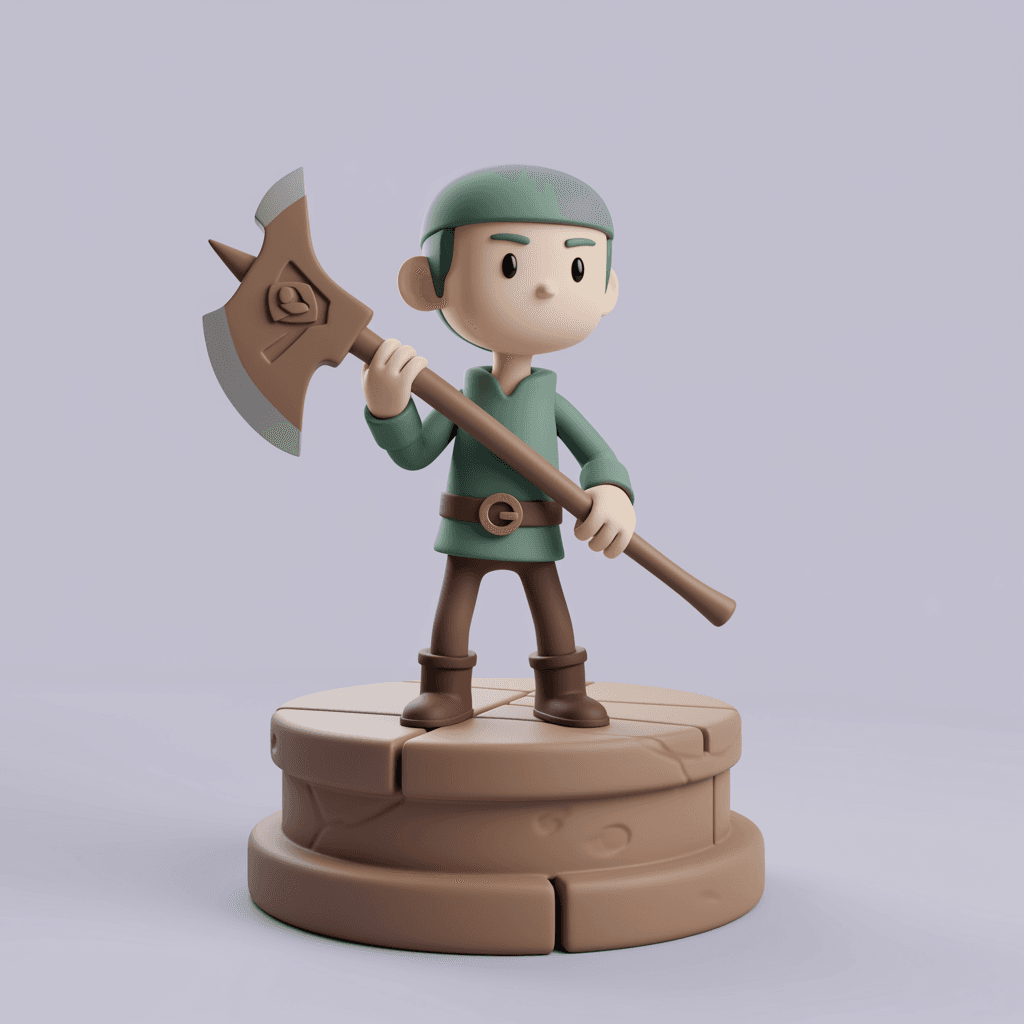
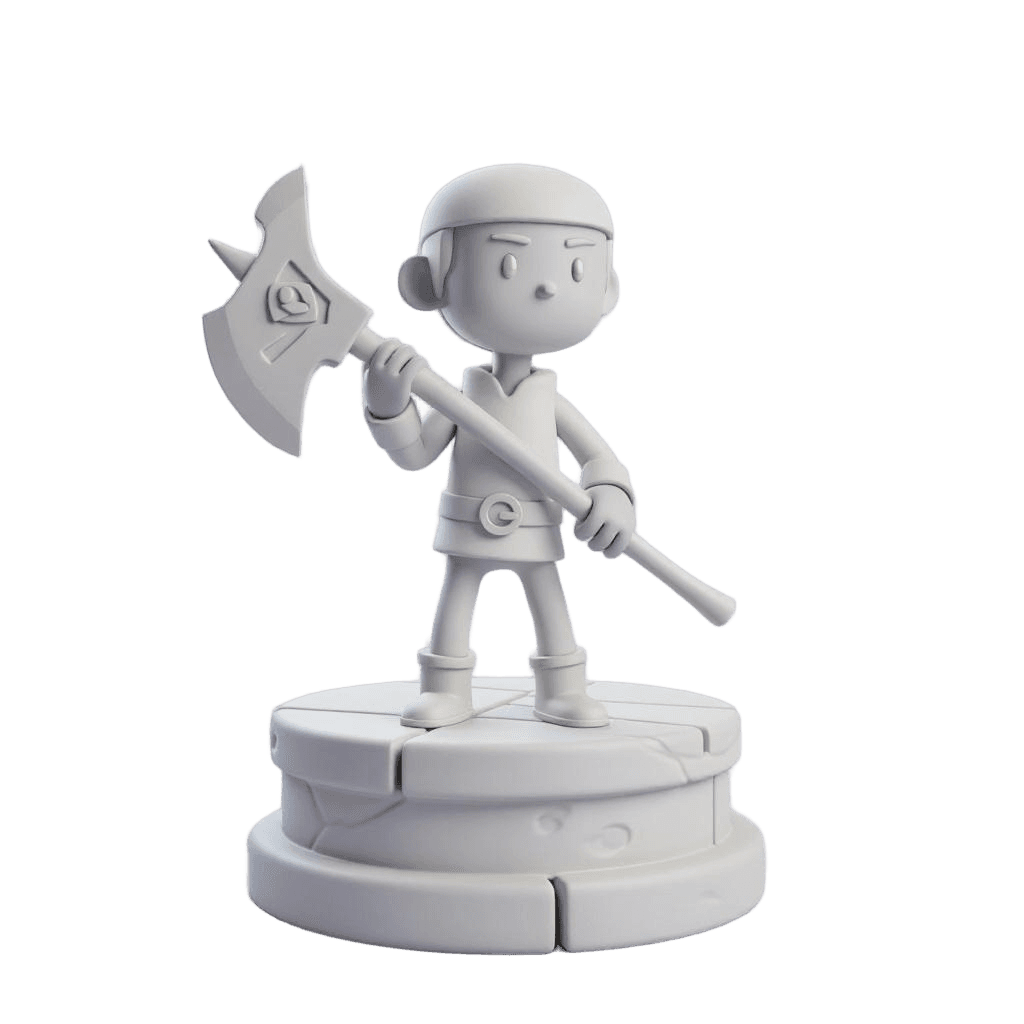
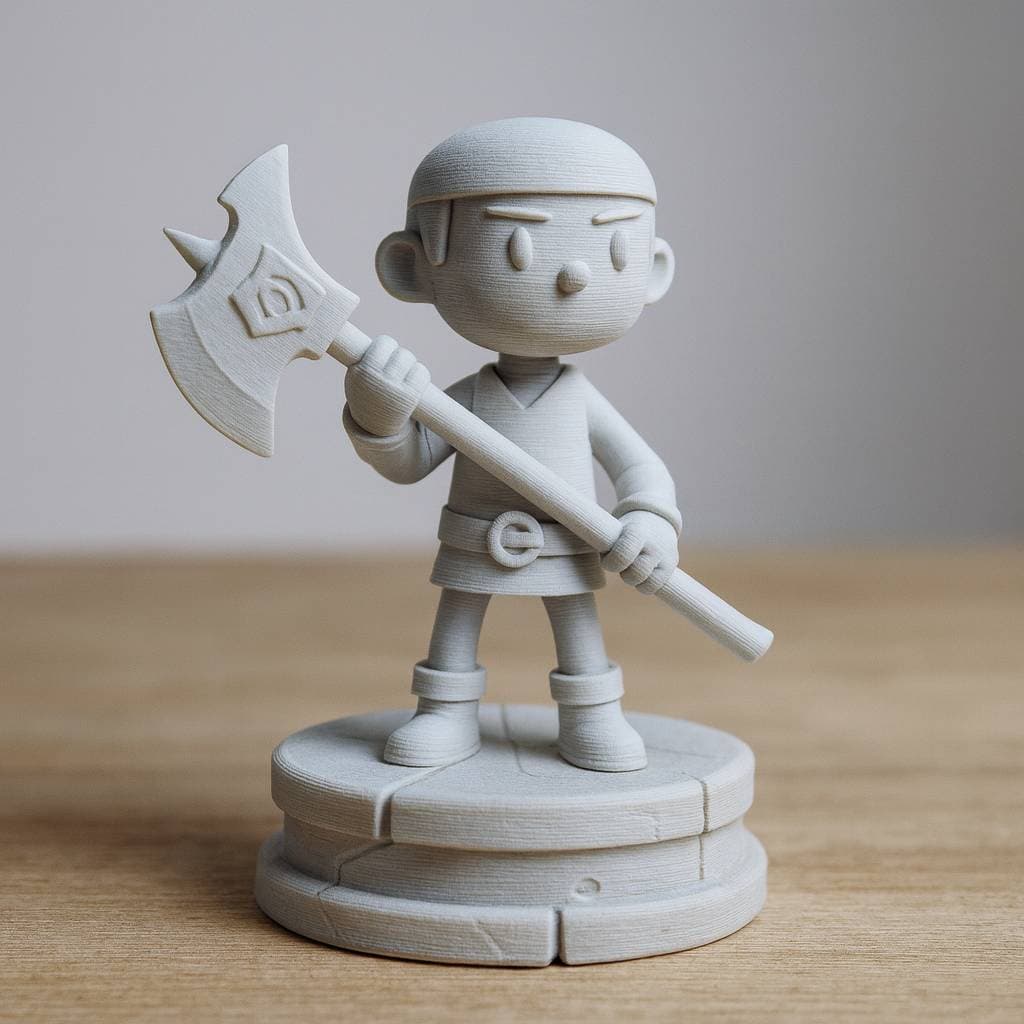
“3d stylized cartoon character, holding an axe, fantasy, full body”
01
Text prompt
02
AI generated model
03
Print-ready file
04
Physical print
Total time: ~2 minutes of generating, plus however long your printer takes.
The full recorded workflow, from AI generation to the finished print, in about 3 minutes.
“Export for 3D Printing”
One click runs automatic mesh repair and writes a print-ready, multi-color 3MF. Watertight, manifold, colors baked in.
“Change Format”
STL, OBJ, or any of the 8 supported formats when your slicer or workflow prefers something else.
“Resize”
Set the exact real-world print size before export, so the model lands in your slicer at the right dimensions.
One model, ready-to-print parts
AI part segmentation splits a model into printable pieces with automatic joints. Watch the parts come apart and back together - the demo is live, drag it.
Bigger than your build plate? Split it.
- Automatic cuts with connector joints - the parts fit back together after printing
- Print models far larger than your printer's build volume
- Orient and support each part separately for cleaner surfaces
 Input
InputModels people print
Each small card is the input; the model above it is the raw result, no retouching. Click any tile to spin the actual 3D model.
No photo? Start from a sentence
The handwritten note on each tile is the entire input. Text to 3D uses the same engines and the same watertight exports.
Every top 3D model generator, in one studio
Meshy, Tripo, Hunyuan, Rodin, and the rest live here side by side. No separate subscriptions, no picking a provider and hoping. Switch engines per generation.

Prism 3.1
Photo reconstruction champion
3D AI Studio · 3-5 min

Tripo P1
Game-ready topology
Tripo · 60-90s

Meshy 6
Quad topology & pose control
Meshy · 5-10 min

Hunyuan3D 3.5
Overall quality king, 8K PBR
Tencent · under 60s

Rodin Gen-2.5
Five speed & quality tiers
Hyper3D · 30s-7 min

Hitem3D 2.1
1536³ print-grade detail
Hi3D · 7-8 min

Trellis 2
Affordable drafts with PBR
Microsoft · 4-8 min
Seed3D 1.0
PBR + RGB dual output
ByteDance · 8-12 min
That is 8 of 15+. See the full lineup on the Models page or run the same image through several at once in the live comparison tool.
Who prints with it
From tabletop miniatures to Etsy shops, one generation pipeline covers the printing crowd.

Tabletop & Wargaming
Custom miniatures and terrain your table has never seen. Resin-grade detail engines.

Figurines & Keepsakes
Photos of people and pets become printable figurines. The classic first project.

Etsy & Print Sellers
Unique catalog pieces nobody can download elsewhere. Commercial rights on paid plans.

Prototyping
Concept sketch to physical part on your desk the same day, iterated as fast as you can print.
And the work before the slicer
The editor around the generator gets the model print-ready without external tools.
Compatible with all 3D printers
STL and 3MF load into every slicer, resin or FDM; these guides cover the specifics of each ecosystem

Bambu Lab
Multi-color 3MF with vertex colors drops straight into Bambu Studio and the AMS.

PrusaSlicer
Watertight STL export slices cleanly for the full Prusa lineup, MK4 to XL.

Anycubic
Figurines and props for Kobra FDM and Photon resin printers alike.

Elegoo
Detail-grade meshes for Saturn and Mars resin printing.

Lychee Slicer
Resin-ready models with the detail to justify your 8K screen.

ChiTuBox
Print-ready STL for the resin workflow you already run.
What makes a model print well
Three habits that separate a clean print from a support-scarred one
One subject, clear silhouette
A single object with a readable outline generates the cleanest geometry. For figurines from photos, crop tight and avoid busy backgrounds.
Scale and check in the slicer
Set the final size in your slicer, then use its wall-thickness preview. Thin swords and antennas may need scaling up or a thicker profile at miniature sizes.
Decide on color before export
Single color? Plain STL. Multi-color printer? Bake the texture to vertex colors and export 3MF so the slicer maps filaments automatically.
Full print-prep walkthrough in the AI 3D printing workflow guide.
What creators say
Rated 4.6/5 on Trustpilot
The speed in which I can generate 3D models is astonishing. Its simplified my workflow and given my applications an aesthetic uplift that impresses clients. I even 3D printed a few of those Models and they came out great

Tim Karlowitz
Website Developer
With the 3D AI STUDIO, Ive been able to create complex, high-quality 3D models in seconds, shaving hours off of my usual timescales and allowing me to focus more on getting creative. It has been a game-changer. This is the best AI 3D Model Generator i have ever used!

Noah Böhringer
Game Developer at BHR Studios
So cool! I just logged in and was very quickly able to make a 3D model from a prompt. Could see a lot of applications of this in video editing / animation. Cant wait for all the new Features!

Dillion Verma
Developer @Nvidia

The Best image to 3D Model generator out there. Un matched from my comparisons. Has saved me so much time and $$$. I am very picky about how the models look and 3D AI Studio is able to give you that REAL Detail that you need to be legit.

Junior Lopez
Canada
3D AI Studio is the best service I've found out there. They have a far superior output for highly detailed, realistic models and several amazing tools for source image generation, retexturing and model re-meshing/refining. The interface is clean, easy-to-use and intuitive.

Paul Hoover
United States
Mind blowing customer support. The results are pretty amazing, you generate cool game assets within minutes AND there's an option to make them pretty low poly. When I stopped using I asked a refund for the last month - got it within 30 seconds. Mind blown.

Yuri Shmorgun
Israel
I've tried several 3D modeling solutions, but 3D AI Studio stands out for its product and its support. Jan is amazing, he is constantly adding new features and improving on the experience, and extremely responsive to any support requests. Highly recommend!

Ian Chaplin
United States
3d models that wont break the bank. I made around 25 models rigged a few. It was able to use just my png 2d artwork to generate a 3d model which can be saved as glb, fbx, stl, which port over into game engines easy. Some of my characters have armor on an it made them look so AAA in thier armor.

Brad J Bigner
United States
Overall the best AI website I have tried. The team is amazing! They are really going with what the community wants, they listen and they go from our very own requests. I would say that you really get your money worth! highly recommend!

XshadowX
Canada
The speed in which I can generate 3D models is astonishing. Its simplified my workflow and given my applications an aesthetic uplift that impresses clients. I even 3D printed a few of those Models and they came out great
Tim Karlowitz
Website Developer
With the 3D AI STUDIO, Ive been able to create complex, high-quality 3D models in seconds, shaving hours off of my usual timescales and allowing me to focus more on getting creative. It has been a game-changer. This is the best AI 3D Model Generator i have ever used!
Noah Böhringer
Game Developer at BHR Studios
So cool! I just logged in and was very quickly able to make a 3D model from a prompt. Could see a lot of applications of this in video editing / animation. Cant wait for all the new Features!
Dillion Verma
Developer @Nvidia
The Best image to 3D Model generator out there. Un matched from my comparisons. Has saved me so much time and $$$. I am very picky about how the models look and 3D AI Studio is able to give you that REAL Detail that you need to be legit.
Junior Lopez
Canada
3D AI Studio is the best service I've found out there. They have a far superior output for highly detailed, realistic models and several amazing tools for source image generation, retexturing and model re-meshing/refining. The interface is clean, easy-to-use and intuitive.
Paul Hoover
United States
Mind blowing customer support. The results are pretty amazing, you generate cool game assets within minutes AND there's an option to make them pretty low poly. When I stopped using I asked a refund for the last month - got it within 30 seconds. Mind blown.
Yuri Shmorgun
Israel
I've tried several 3D modeling solutions, but 3D AI Studio stands out for its product and its support. Jan is amazing, he is constantly adding new features and improving on the experience, and extremely responsive to any support requests. Highly recommend!
Ian Chaplin
United States
3d models that wont break the bank. I made around 25 models rigged a few. It was able to use just my png 2d artwork to generate a 3d model which can be saved as glb, fbx, stl, which port over into game engines easy. Some of my characters have armor on an it made them look so AAA in thier armor.
Brad J Bigner
United States
Overall the best AI website I have tried. The team is amazing! They are really going with what the community wants, they listen and they go from our very own requests. I would say that you really get your money worth! highly recommend!
XshadowX
Canada
“I've watched thousands of head-to-head votes across every major 3D AI model. 3D AI Studio is the one place you can actually use the top models together - with a full toolkit around them.”
Stefan Vaskevich
Founder of Top3D.ai - the independent 3D AI leaderboard

Frequently asked questions
Everything people ask before their first print
Something else? Write us at support@3daistudio.com.
Give your miniature a base
The free Add Base tool puts a flat, stable pedestal under any model - round, square, or custom - so it prints upright without a raft.
Turn a photo into a printable relief
The 3D Relief Generator converts any picture into 2.5D wall art and keepsake reliefs, the most-printed format on the platform.
Tame the polycount before slicing
The Remesh tool converts dense AI meshes into clean topology at the face count you choose, so old slicers and thin laptops keep up.